Securely Connect to the Cloud Virtual Appliances
Netgate® virtual appliances with pfSense® Plus software extend your applications and connectivity to authorized users everywhere, through Amazon AWS and Microsoft Azure cloud services. Network your employees, partners, customers, and other parties to share resources in site-to-cloud, cloud-to-cloud, and virtual private cloud (VPC) connectivity. Full firewall/VPN/router functionality all in one available in the cloud starting at $0.08/hr.
Enterprise, Open Source SOLUTIONS
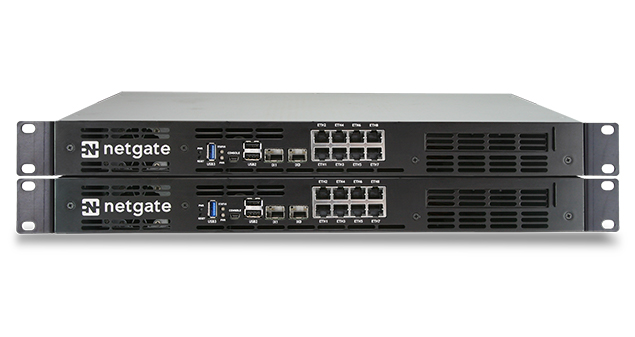
Providing comprehensive network security solutions for the enterprise, large business and SOHO, Netgate solutions with pfSense Plus software bring together the most advanced technology available to make protecting your network easier than ever before. Our products are built on the most reliable platforms and are engineered to provide the highest levels of performance, stability and confidence.
Help, Documentation, Answers PRODUCT SUPPORT
Our staff has direct access to the pfSense development team. Having a pfSense engineer ready to answer your questions and provide “best practice” advice will complement your IT resources and add value to your team. If you purchase your hardware appliance from the pfSense store, our familiarity with the products will allow our support team to provide end-to-end solutions encompassing all aspects of the hardware and the firewall application.

Security, Design, Implementation PROFESSIONAL SERVICES
We know the challenges you face are complicated. Netgate staff can help you implement effective solutions to solve those problems. We will help you plan, design, implement, operate, and manage the right technology strategy to improve the way you do business. From network security to high-availability to firewall conversions, we provide effective solutions so you can focus on running your business. Find out more at the Netgate website.
Global, Access, Knowledge pfSense Training
Netgate training is the only official source for pfSense courses! Our expert team provides quality on-line and on-site pfSense training to individuals and organizations of all sizes. We keep our class sizes small to provide each student the attention they deserve. The curriculum is designed to scale in detail from new pfSense users to senior network engineers, and can be customized to suit the needs of your business.
Learn what pfSense software can do for you
Take the Tour